
Welcome to Chippy
Chippy is an AI-powered builder for ChatGPT apps. Describe what you want in plain language, and Chippy generates working tools and interactive widgets, complete with an MCP server endpoint that connects directly to ChatGPT.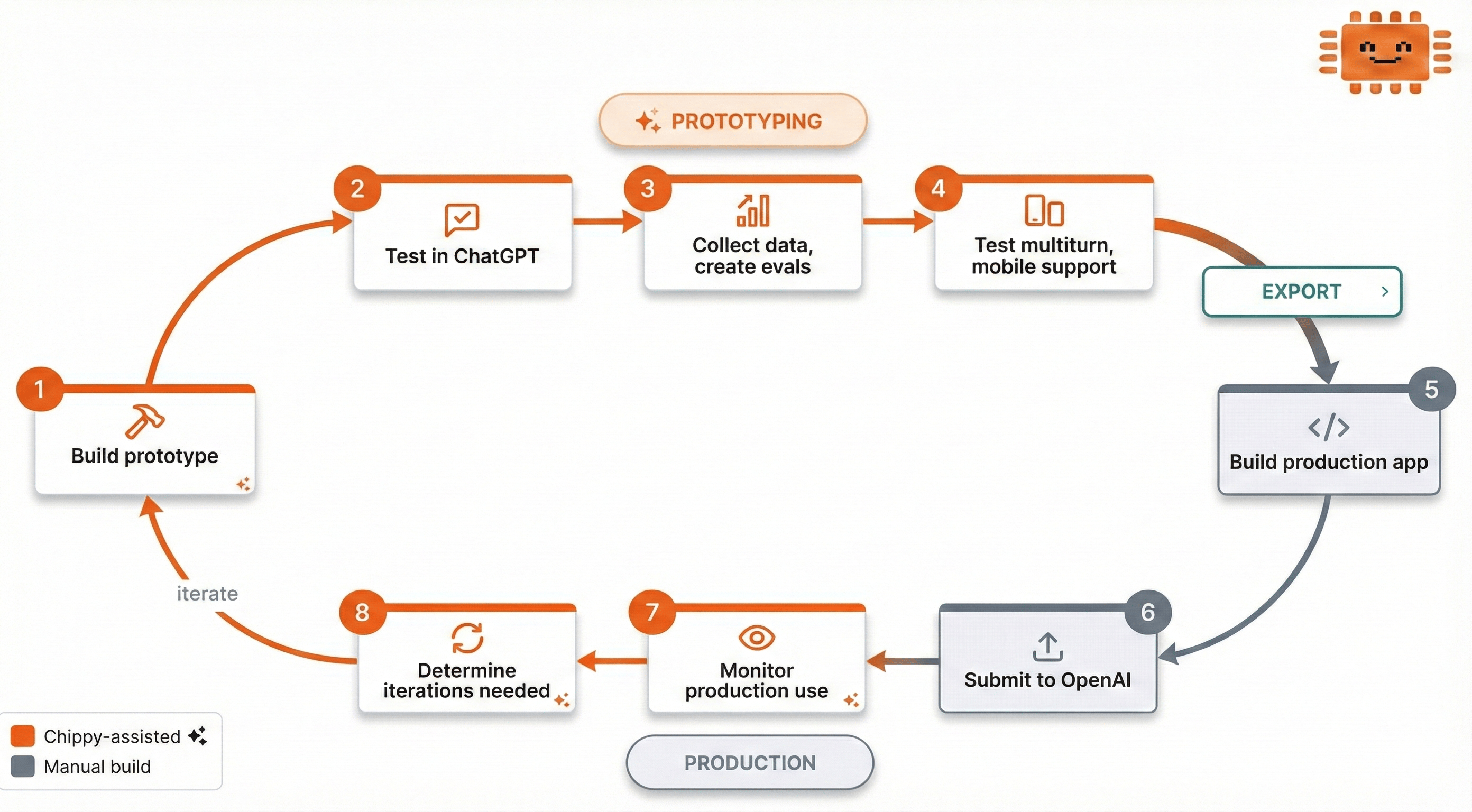
How It Works
1
Describe your app
Tell the AI builder what you want. For example: “Build a support triage app that classifies tickets by urgency and routes them to the right team.”
2
Chippy builds it
The AI generates tools, interactive widgets, and mock data. You can watch it work in real time.
3
Test in preview
Try your app in the built-in preview panel, or connect ChatGPT directly to your preview MCP endpoint.
4
Iterate and refine
Make focused edits: “Add a confidence score to the triage results.” One change at a time keeps things stable.
5
Connect real services
When mock data isn’t enough, add API integrations and secrets to connect to live systems.
6
Ship and monitor
Export your app for production handoff. Use traces, evaluations, and analytics to monitor quality after launch.
What You Can Build
Chippy apps are made of tools: actions that ChatGPT can invoke on behalf of users. Each tool can:- Show interactive UI (dashboards, forms, lists, maps) rendered as widgets inside ChatGPT
- Return data (search results, calculations, status checks) that ChatGPT uses in conversation
- Call external APIs through secure proxy connections with encrypted secrets
Plan Overview
Get Started
Quickstart
Build your first ChatGPT app step by step.
Builder Chat
Learn how to prompt the AI builder effectively.
Tools
Understand how tools work and how to configure them.
Connect to ChatGPT
Hook up your app to ChatGPT via MCP.